AFTERDAWN: PACK-KIN DESIGN GUIDE
Visual Documentation & Design Protocol. This guide outlines the mandatory workflow for creating your Pack-Kin. To ensure your design passes administrative audit on the first submission, follow these steps in order.
MANDATORY SUBMISSION RULES
- Official Templates Only: You must use the official lineart template corresponding to your wolf’s rolled subspecies (Lupine, Vulpine, or Silken).
- No Exceptions: Custom lineart is strictly prohibited. If your design is not on the official species-specific base provided in the Discord
#useful-linkschannel or in gallery -> bases and downloads, it will be automatically rejected. - Audit-Ready: Ensure your final file is a high-resolution .PNG reference sheet without lighting layers or ambient shadows.
STEP-BY-STEP DESIGN WORKFLOW
Step 1: Choose Base Color
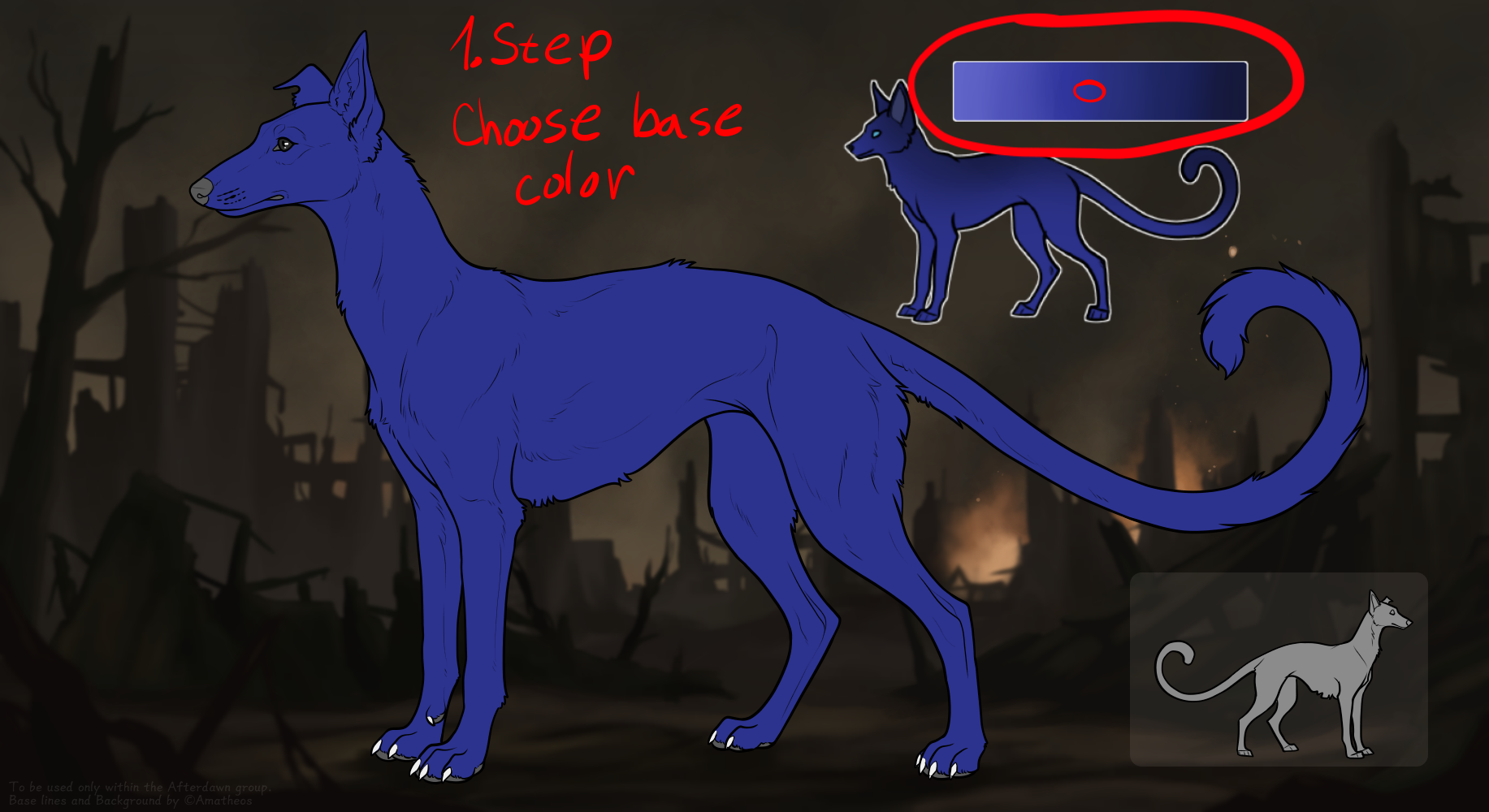
Start by selecting the base color corresponding to your kin's rolled Genotype from the approved color palette. Fill the entire base layer, ensuring the color is completely flat, opaque, and covers the complete silhouette. This foundational layer sets the tone for the entire design and must strictly adhere to the designated base coat guidelines. Colors must be taken only from provided sliders.
Step 2: Let's Make It Less Flat
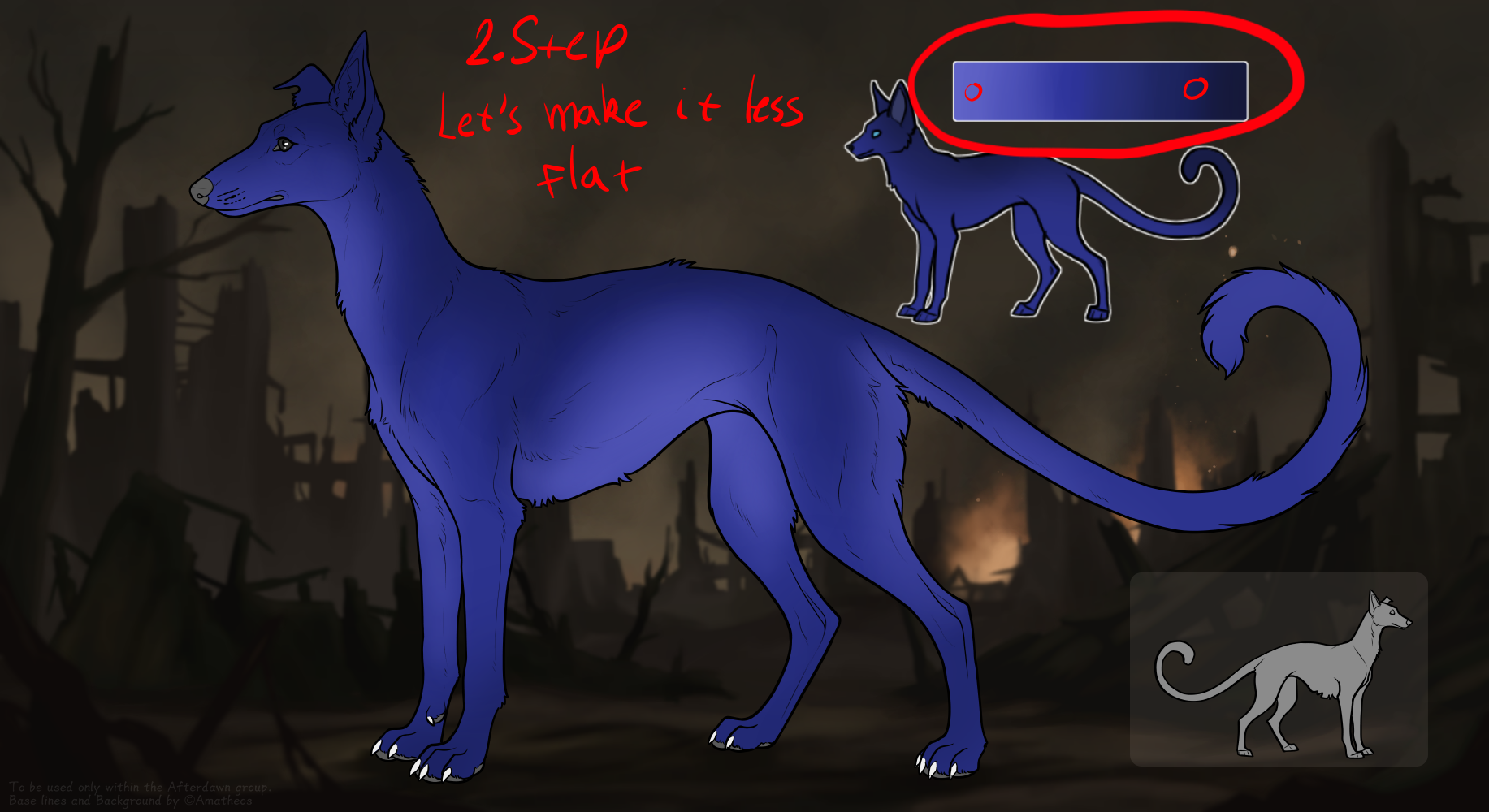
Once the flat base color is applied, it is time to give the coat some structural depth and make it less flat. Apply the required base coat gradients or subtle tonal shifts that are allowed for your specific genotype. This creates a much more natural, dynamic look for your base coat while remaining firmly within the boundaries of your assigned color palette. Make sure it is well blended and does not resemble any existing markings, such as sooty, undershot, underbelly, siamese, etc.
Step 3: Add Layer 2 Markings
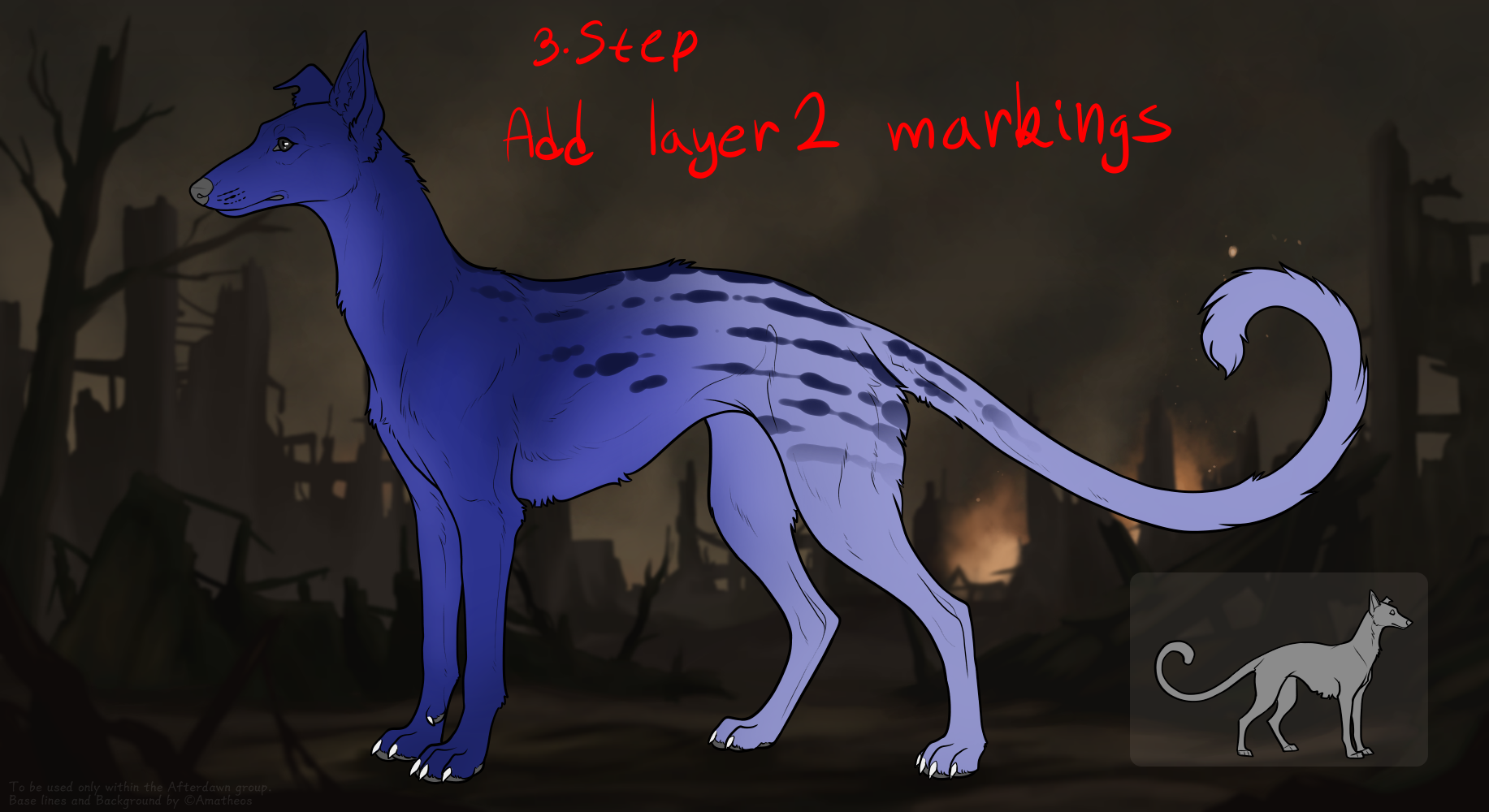
Next, apply your "Layer 2" markings. These include foundational patterns such as Unders, Socks, Dun, or Spots. Render these markings carefully over the established base layer, making sure you strictly adhere to their specific edge requirements (whether hard or soft/blended). These markings sit beneath higher-tier traits and establish the visual core of your Pack-Kin.
Step 4: Layer 3 Markings
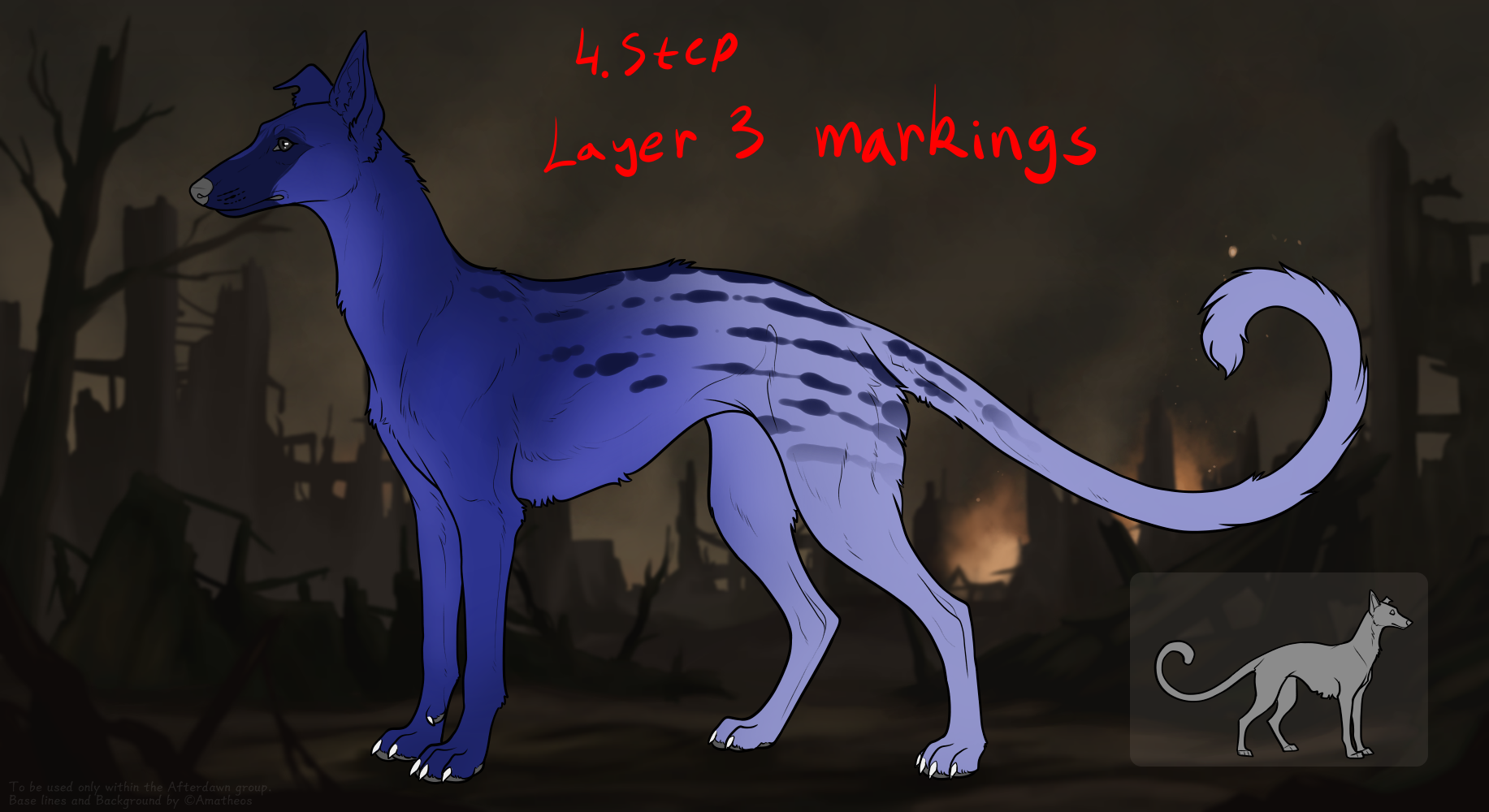
Proceed to add your "Layer 3" markings. These defining features, which can include bold patterns like Masks, Ash-Soot, or Stripes, are layered directly on top of your base and Layer 2 markings. Ensure they interact correctly with the layers below, standing out clearly while following their own specific placement restrictions and edge style rules.
Step 5: Free Markings & Blight-Trace
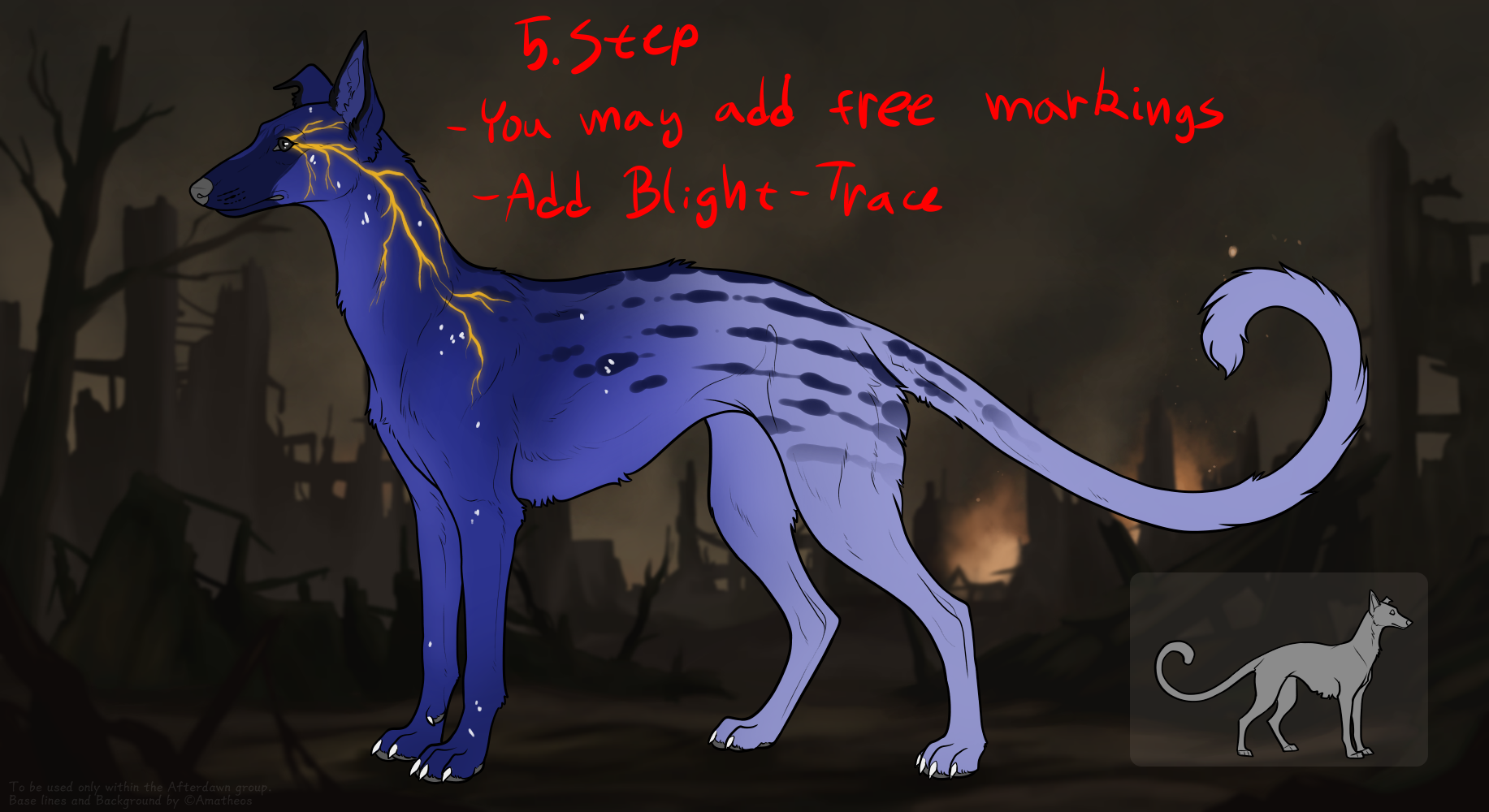
With the genetic markings successfully in place, you may now apply any desired free markings (such as Black & White, Birdcatcher Spots, or Freckles). More importantly, this step requires the application of the mandatory Blight-Trace. This signature parasitic pattern must sit on the topmost layer, featuring vibrant, glowing, and 100% opaque vein-like structures that boldly contrast against all underlying designs.
Step 6: Details (Claws, Flesh, Eyes, Chibi)
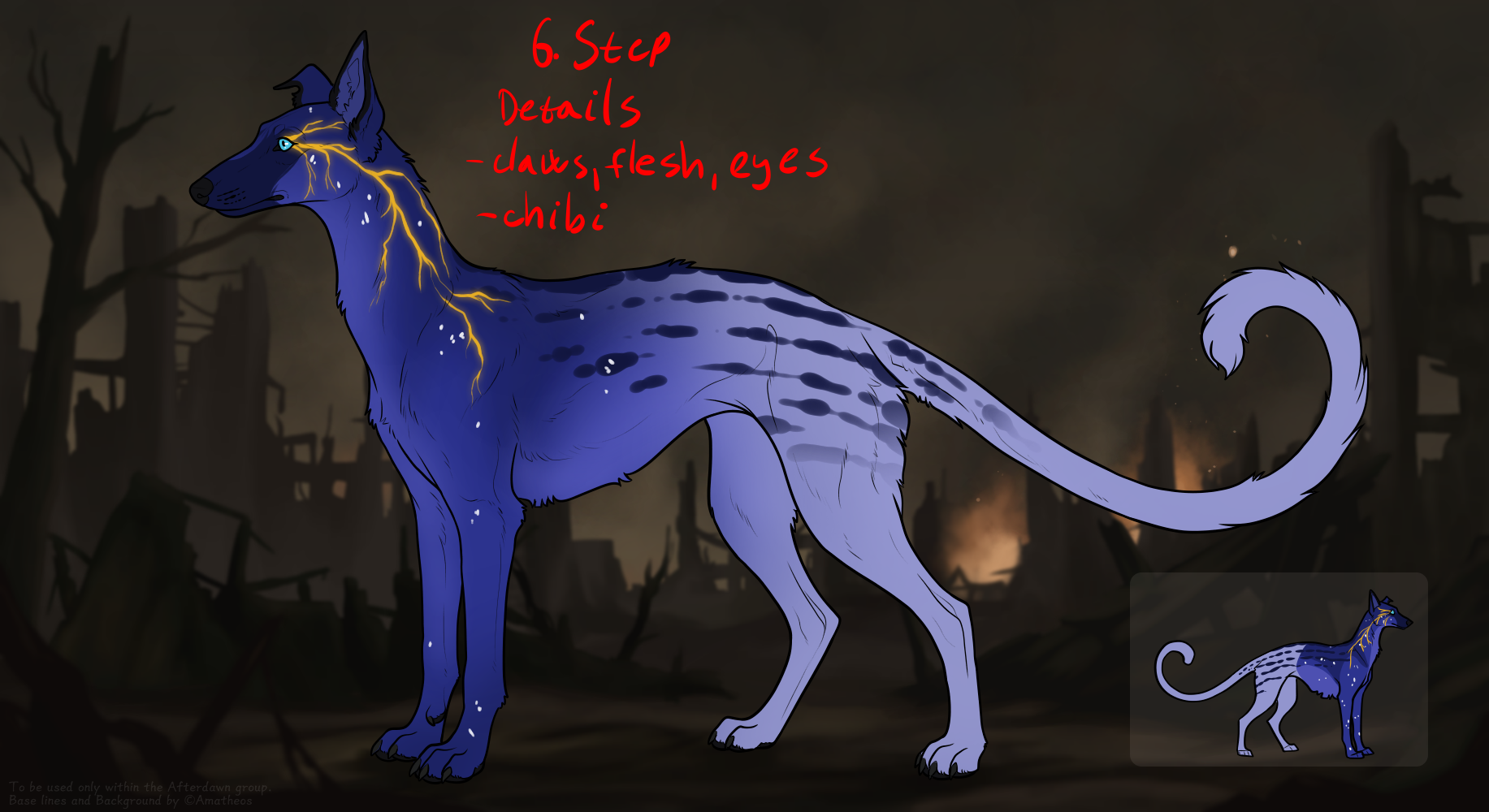
Fine-tune the physiological details of your Pack-Kin. Accurately color the eyes, the flesh (nose leather and all paw pads), and the claws according to the strict biological rules outlined in the anatomical codex. Additionally, make sure to appropriately color the smaller chibi or secondary reference figure located on the template to perfectly reflect the main design.
Step 7: FINISHED
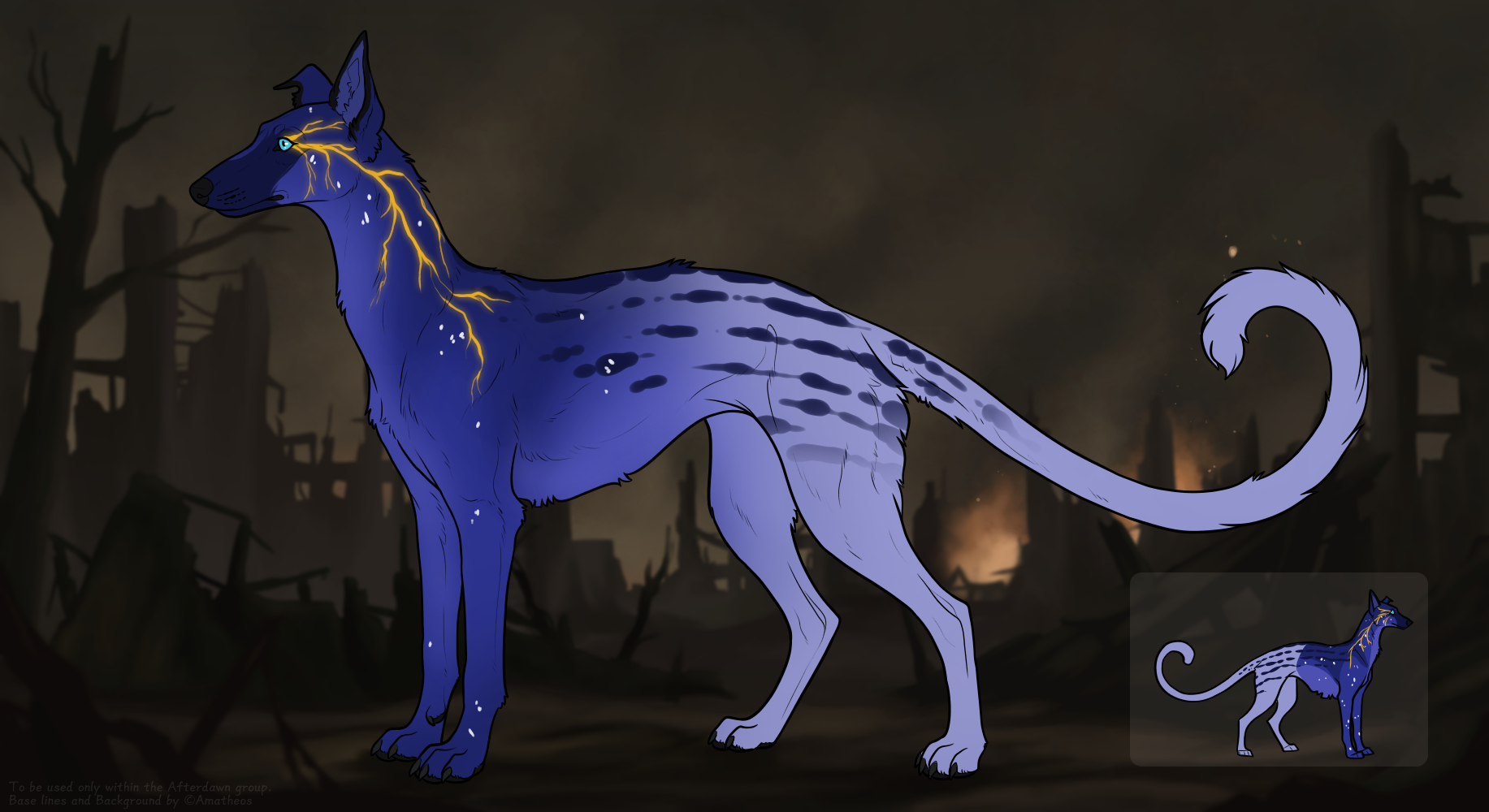
Review your fully completed design against the official audit checklist. Verify that all layers are properly ordered, base coats match the rolled genotype, edge boundaries are correct, and no lineart gaps or stray pixels exist. Once all elements are double-checked, your Pack-Kin is fully rendered and ready to be saved as a clean, high-resolution .PNG file for official administrative submission.
DESIGN AUDIT CHECKLIST
Base Coats
- Dusk (Vv DD / VV DD / Vv Dd / VV Dd)
- Frost (vv DD / vv Dd)
- Gloom (SS DD / Ss DD / SS Dd / Ss Dd)
- Patina (ss DD / ss DD / ss Dd)
- Bone (vv BB / vv Bb)
- Pumice (VV BB / Vv BB / VV Bb / Vv Bb)
- Sand (ss BB / ss Bb)
- Clay (SS BB / Ss BB / SS Bb / Ss Bb)
- Mire (SS MM / Ss MM / SS Mm / Ss Mm)
- Tar (VV MM / Vv MM / VV Mm / Vv Mm)
- Mildew (vv MM / vv Mm)
- Verdigris (ss MM / ss Mm)
- Gilded (ss GG / ss Gg)
- Onyx (VV GG / Vv GG / VV Gg / Vv Gg)
- Lead (vv GG / vv Gg)
- Bronze (SS GG / Ss GG / SS Gg / Ss Gg)
- Charred (Vv CC / VV CC / Vv Cc / VV Cc)
- Cinder (vv CC / vv Cc)
- Scorched (SS CC / Ss CC / SS Cc / Ss Cc)
- Slag (ss CC / ss Cc)
- Neon (vv NN / vv Nn)
- Ozone (VV NN / Vv NN / VV Nn / Vv Nn)
- Toxic (SS NN / Ss NN / SS Nn / Ss Nn)
- Core (ss NN / ss Nn)
- Spectral (SS WW / Ss WW / SS Ww / Ss Ww)
- Phantom (VV WW / Vv WW / VV Ww / Vv Ww)
- Mist (vv WW / vv Ww)
- Quartz (ss WW / ss Ww)
- Vitrified (ss II / ss Ii)
- Obsidian (VV II / Vv II / VV Ii / Vv Ii)
- Frosted (vv II / vv Ii)
- Amber (SS II / Ss II / SS Ii / Ss Ii)
MARKING PROFILES
These markings are free to add to your Pack-Kit. They do not have Genotype and therefore won't be inherited.